Shopify merchants spend a lot of time optimizing ROAS, creatives, audiences, landing pages, and bidding strategies. But there is one simple leak that often gets missed: paid traffic keeps running even when the product behind the ad is already sold out, almost sold out, or unavailable in the relevant variant.
A customer clicks an ad, lands on a product page, chooses their size or color, and finds out the item is gone. The merchant pays for the visit. The customer leaves frustrated. The ad platform may continue spending because, from its perspective, the campaign is still active.
For Shopify stores with fast-moving inventory, this is not a small operational detail. It is a direct connection between inventory accuracy and marketing efficiency.
The Problem: Ad Platforms Do Not Always Know Your Stock Situation
Shopify inventory can change quickly. A bestseller may go from healthy stock to low stock in a single afternoon. A specific size may sell out while other variants are still available. One warehouse may have inventory while another location does not.
Meta Ads, Google Ads, and TikTok Ads are built to optimize delivery, not to monitor every Shopify inventory edge case. Product feeds can help, especially for Shopping Ads and catalog-based campaigns. But they do not solve every scenario.
Many Shopify merchants still run manually built campaigns, landing page ads, influencer traffic, product launch campaigns, or creative tests that point directly to product pages. Those campaigns may continue running even when the product is out of stock or when only a few units are left.
Who Is Most Affected?
This issue is especially common for stores where inventory changes quickly or where availability is more complex than a single product-level stock number.
- Stores with bestsellers: Demand can spike faster than teams react, and a few hours of wasted spend can matter.
- Stores with variants: Apparel, footwear, cosmetics, accessories, and home goods often depend on size, color, bundle, or format.
- Drops, limited editions, and seasonal collections: These campaigns create short bursts of demand and need fast inventory-aware controls.
- Multi-location stores: Product availability may depend on warehouse, store, or fulfillment location.
- PPC agencies: Manual checks become unreliable when teams manage many Shopify clients, ad accounts, products, and restock schedules.
Common Manual Workarounds
Most teams try to solve this manually at first. One option is a daily stock check: someone reviews Shopify inventory, compares it with active campaigns, and pauses anything risky. This works until the team gets busy, the check is skipped, or inventory changes between reviews.
Another option is a Google Sheet with reminders. Products, thresholds, and campaign links are tracked manually. This gives teams a process, but it still depends on people updating the sheet and remembering to re-enable campaigns after restock.
Feed rules, Google Ads Scripts, and catalog availability rules can all help in specific cases. The problem is that these solutions are often not platform-wide, not variant-aware, not location-aware, or not connected to the way teams actually pause and resume campaigns across channels.
Pausing ads is only half of the workflow. Restarting them at the right time is just as important.
What a Good Workflow Needs
A better workflow should not wait until stock reaches zero. For many stores, the right trigger is a threshold. If only five units are left and a campaign spends heavily, it may already be time to pause or reduce traffic.
- Threshold logic: Pause based on low stock, not only sold-out status.
- Variant and location logic: Protect the exact SKU, size, color, or fulfillment location that matters.
- Platform-level flexibility: Pause campaigns, ad sets, ads, ad groups, or asset groups depending on how the account is structured.
- Automatic re-enable: Resume protected ads when inventory returns, if the team wants that behavior.
- Logs and notifications: Show what changed, when it changed, and why.
- Safety checks: Make every pause and resume action rule-based and visible.
How Guardified Helps
Guardified was built for this exact gap between Shopify inventory and paid advertising.
Guardified connects Shopify inventory with Meta Ads, Google Ads, and TikTok Ads. Merchants can create guards for products, variants, and locations, then connect those guards to the campaigns or ad entities they want to protect.
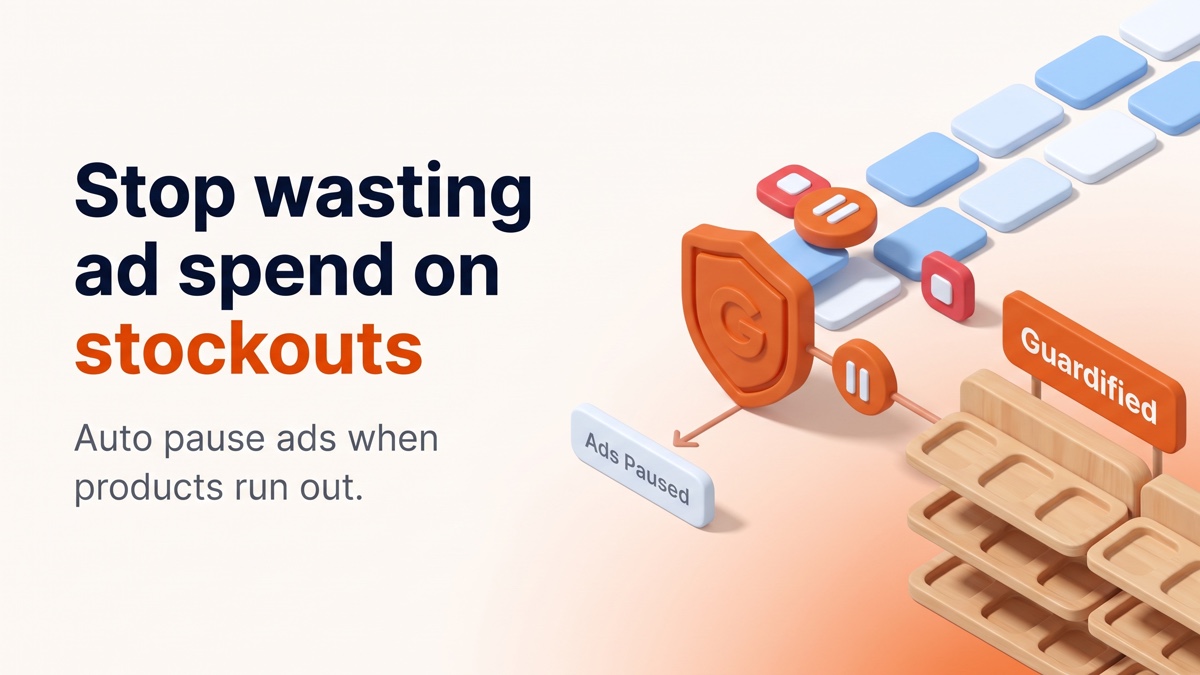
When stock drops below the selected threshold, Guardified can pause the chosen campaigns, ad sets, ads, ad groups, or asset groups. When stock comes back, Guardified can automatically re-enable them if auto-resume is enabled.
The workflow is intentionally practical: set a threshold, choose the product, variant, or location logic, connect the relevant ad targets, and let Guardified monitor stock and take action when inventory no longer supports the campaign.
Guardified also records pause and resume actions in logs and can notify teams by email, so merchants and agencies can see what happened instead of guessing why a campaign changed status.
A Quick Checklist Before You Automate
- Which products drive most of your ad spend?
- Which variants sell out most often?
- Which campaigns link directly to product pages?
- Do any campaigns promote limited drops, seasonal products, or low-stock bestsellers?
- Do you have reliable restock timing?
- Should ads pause only at zero stock, or earlier, for example at five units?
- Do different locations need different rules?
- Who should receive pause and resume notifications?
- Should campaigns resume automatically after restock, or should someone review them first?
Final Thought
Paid traffic and inventory planning are often managed in separate systems, but customers experience them as one journey.
If an ad promises a product and the store cannot fulfill that demand, the result is wasted spend, lower trust, and avoidable friction.
For Shopify merchants running Meta, Google, or TikTok Ads at the product level, inventory-aware ad protection is a simple way to close that gap.
Try Guardified
If you use Shopify and advertise products directly, you can test Guardified on the Shopify App Store for 7 days and review which campaigns should be protected against low-stock or out-of-stock spend.